
Add dream effects to your digital photos
DreamLight Photo Editor allows you to add dreamlike effects to your digital photos.
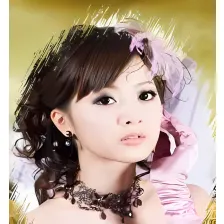
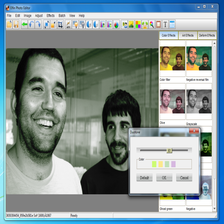
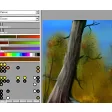
As long as you have some degree of artistic talent, it's possible to give your digital photos a creative new look by applying effects to them. DreamLight Photo Editor is a program dedicated to helping you do just that, and adding special effects is as easy as opening a photo, then viewing the preview of an effect before selecting it to apply it to your image.
There are dozens of different filters to choose from in DreamLight Photo Editor and all are clearly divided into different categories. One of the best things about DreamLight Photo Editor is the fact that you can apply as many effects to the same image as you please, giving you the ability to get very creative (though, of course, it's easy to go overboard sometimes).
Annoyingly, the Undo feature in DreamLight Photo Editor only removes the last effect you applied, so we often found ouselves having to restart if the combination of filters we added didn't look right. Despite its name, DreamLight Photo Editor doesn't actually include any image editing tools, meaning that you'll still need to use an external graphics app to process any other changes after you've added the effects.
It's much easier to use than Photoshop, but if you have the Adobe app already then you certainly won't need DreamLight Photo Editor.
























User reviews about DreamLight Photo Editor
by Anonymous
Error!.
I gave the program the benefit of the doubt, but when I opened it I was given a flood of error messages from the system. I eventually had to end the process tree. It does not work, but it isn't a virus.
Pros:
Huh, uhm...It's not infected?
Cons:
It doesn't run properly, at all. More
by Anonymous
reportt.
ok fine you have sccaned viruses but why does it gives me a warning that this file can harm your computer.......